
Consignment Seller Information (aka Consignment Vendor)
Whether you have one item or hundreds to sell, your status as a consignment vendor is automatic if you wish to sell items in the
VCF Montréal Consignment room. To be a vendor, go to the VCF NexoPOS server page at:
https://nexopos.vcfed.org/
You will see a login page. If you have never sold items through the VCF Consignment service, click Register and create a new account.
Follow the registration instructions and verification emails to complete setup. If you already have a VCF Consignment vendor account,
your existing credentials should work. If you forgot your password, use Forgot Password to reset it.
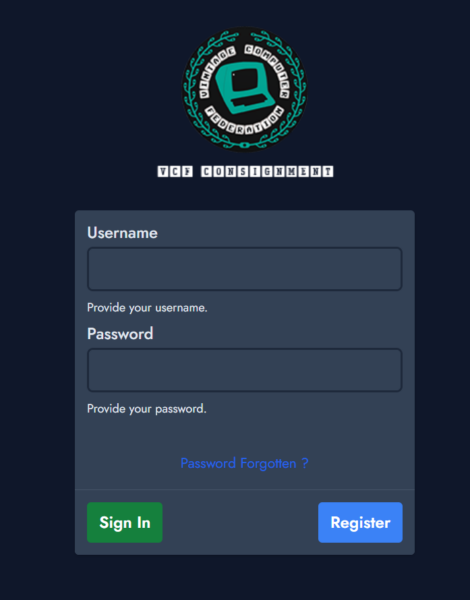
NexoPOS Login Screen
-
VCF Montréal Consignment Vendors: Key Points
- Selling Through VCF Consignment:
- VCF will sell your items on your behalf through the point-of-sale system.
- You can enjoy the event without handling cash or card transactions.
- Volunteers manage payment processing.
- Vendor Identification:
- A special wristband will be issued to identify you as a Consignment vendor.
- When you arrive, mention you have items for Consignment during check-in at the main entrance.
- Fees:
- No placement fee for your items in the Consignment room.
- A consignment fee of 18% is deducted from your total sales.
- Sales Proceeds:
- Paid via PayPal, check, or cash (where available on-site).
- All items must be entered into the NexoPOS system with matching barcode price tags.
- Payout Details:
- Payouts are made at the end of the event on Sunday.
- Cash:
- Must be present at payout time; limited cash availability (first-come, first-served).
- Checks:
- Provided during payout or mailed if an address is on file.
- Digital Payments:
- Instant payments (e.g., PayPal) may be available.
- Vendors are responsible for providing accurate payout details and covering any associated fees.
- Payouts are issued in a single transaction per vendor.
- Tax Reporting:
- Vendors are responsible for complying with applicable tax rules in their jurisdiction.
- Selling Through VCF Consignment:
Informations pour les vendeurs en consignation
Que vous ayez un seul article ou des centaines à vendre, vous êtes automatiquement considéré comme vendeur en consignation
si vous souhaitez vendre des articles dans la salle de consignation de VCF Montréal.
Pour devenir vendeur, rendez-vous sur la page NexoPOS du VCF :
Vous verrez une page de connexion. Si vous n’avez jamais vendu d’articles via le service de consignation du VCF,
cliquez sur Register pour créer un nouveau compte. Suivez les instructions d’inscription et les courriels
de validation pour compléter la configuration. Si vous possédez déjà un compte vendeur VCF,
vos identifiants existants devraient fonctionner. Si vous avez oublié votre mot de passe,
utilisez le lien Forgot Password pour le réinitialiser.
Écran de connexion NexoPOS
-
Vendeurs en consignation – points clés (VCF Montréal)
- Vente via la consignation VCF :
- Le VCF vend vos articles en votre nom à l’aide de son système de point de vente.
- Vous pouvez profiter de l’événement sans gérer l’argent comptant ni les paiements par carte.
- Les bénévoles s’occupent du traitement des paiements.
- Identification du vendeur :
- Un bracelet spécial vous sera remis pour vous identifier comme vendeur en consignation.
- À votre arrivée, mentionnez que vous avez des articles pour la consignation lors de l’enregistrement à l’entrée principale.
- Frais :
- Aucun frais de placement pour vos articles dans la salle de consignation.
- Des frais de consignation de 18 % sont déduits de vos ventes totales.
- Produit des ventes :
- Payable via PayPal, par chèque ou en argent comptant (selon la disponibilité sur place).
- Tous les articles doivent être saisis dans le système NexoPOS avec des étiquettes à code-barres correspondantes.
- Déclarations fiscales :
- Les vendeurs sont responsables de respecter les obligations fiscales applicables dans leur juridiction.
- Vente via la consignation VCF :